How-to guides · 22 October 2026 · 2 min read
From application to your first order, in nine steps
Here is the whole path, in the order you will meet it. You can read the details of each step in the portal as you go.

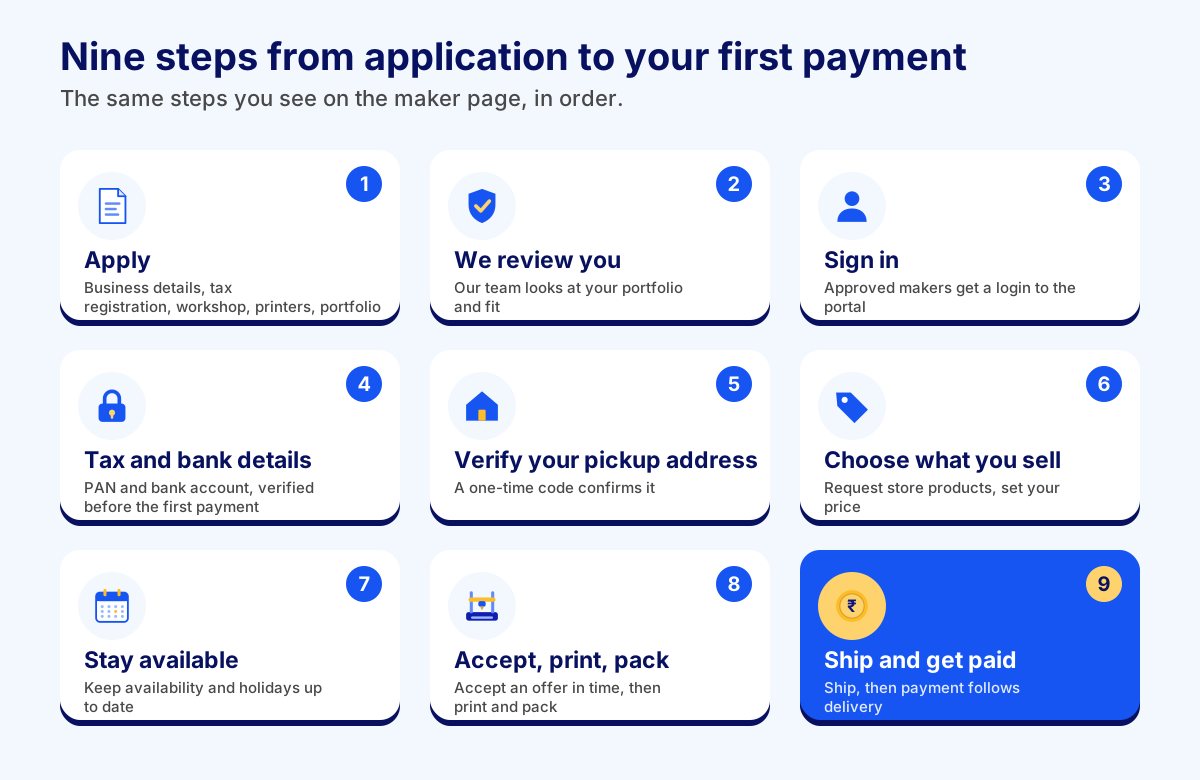
1. Apply
Applying takes about ten minutes and needs no account. You give your business details, your tax registration (a GSTIN, or a free GST Enrolment ID), your workshop and pickup address, your printers and a link to your work. Choose Maker to sell through the shared store, or Brand if you want your own exclusive store. See What you need before you apply.
2. We review you
Our team looks at your portfolio and your fit. You get a note back by email either way.
3. Sign in
Once approved you get a login to the maker portal. You never need an account to apply.
4. Add tax and bank details
Save your PAN and your bank account. Our team verifies them before your first payment is made. Your account number is stored encrypted. Orders that finish before this is done wait; they are paid once you are verified.
5. Verify your pickup address
Save the address where couriers collect parcels. A one-time code sent to the pickup contact's phone confirms it. After that it can only be changed by asking support, so the address on every label is the one we checked.
6. Choose what you sell
Request the store products you can make. An admin approves each request, so every maker on a product has been checked. Once approved, set your own price, or leave it blank to sell at the store price. The lowest you can go is 10% below the store price. You can also propose a product of your own.
7. Stay available
Keep your availability up to date and mark holidays. Offers pause for the dates you mark, so you are only asked when you can print.
8. Accept, print and pack
When an offer arrives, accept it within the offer window, print the item and pack it so it survives the journey. See How orders and offers work.
9. Ship and get paid
Ship with us (pick a courier and a pickup day in the portal) or on your own (add the tracking number). After delivery is confirmed your payment is scheduled, and it is paid on a Tuesday. See How and when you get paid.
Ready to sell on EverycultureLabs?
Apply to join